How to Save a Single-Page Application for Offline Use
Single-page applications (SPAs) are websites that load a single HTML page and dynamically update content using JavaScript. They power most modern web apps — from Gmail to Twitter to Notion. But their reliance on JavaScript makes them nearly impossible to download with traditional tools.
Why SPAs Break Traditional Downloaders
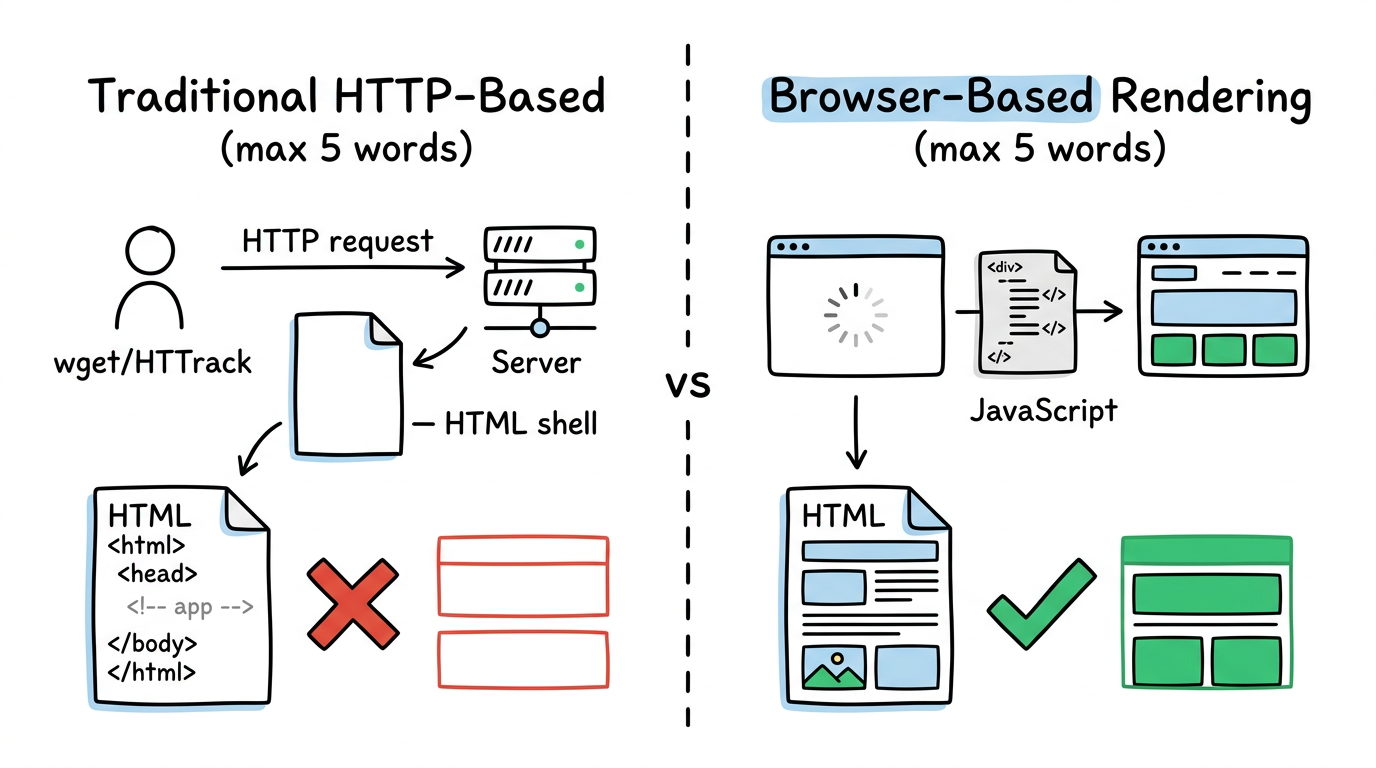
Traditional website downloaders (HTTrack, wget, curl) make HTTP requests and save the response. For SPAs, the response is an almost-empty HTML file — the real content is generated by JavaScript running in the browser. Without executing that JavaScript, you get nothing.
Even tools that attempt to follow links fail with SPAs, because navigation is handled by JavaScript (client-side routing) rather than traditional HTML links. The URL changes, but no new HTML document is loaded — it's all JavaScript state transitions.
The Browser-Based Approach
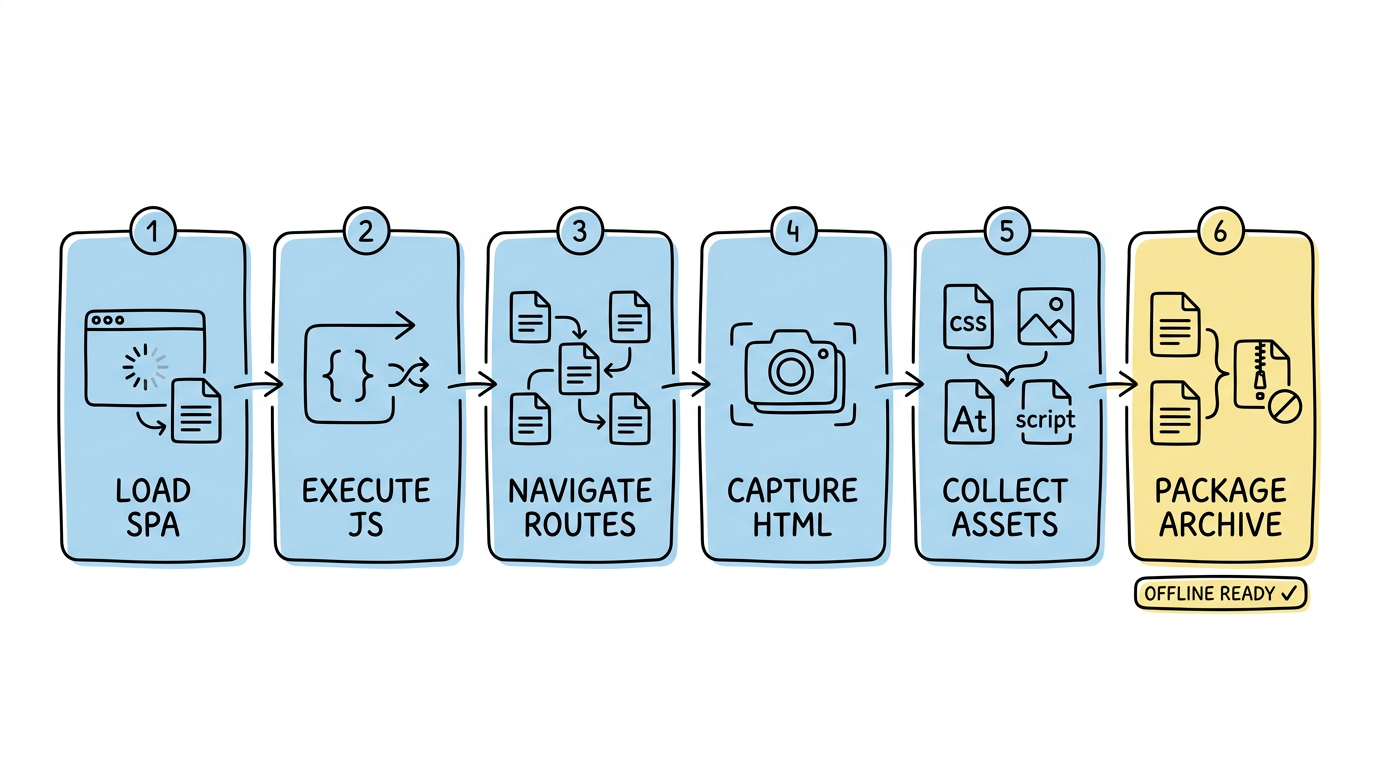
The only reliable way to save an SPA is to use an actual browser engine. websitedownloader.org uses headless Chrome to:
- Load the SPA in a real browser
- Execute all JavaScript and wait for rendering to complete
- Navigate through client-side routes to discover all pages
- Capture the rendered HTML for each page
- Collect all assets (CSS, images, fonts, scripts)
- Package everything into a browseable offline archive
Related Guides
- Why HTTrack can't download JavaScript websites — Technical explanation of the JS rendering problem.
- How to download a website — 5 free methods step by step.
- Best web downloaders 2026 — 8 tools tested for JS support.