wget vs HTTrack vs websitedownloader.org
Which website downloader should you use in 2026?
If you need to download a website, you've probably come across three options: wget (the classic command-line tool), HTTrack (the desktop website copier), and websitedownloader.org (the modern cloud-based alternative). Each has strengths and weaknesses. Here's the full comparison.
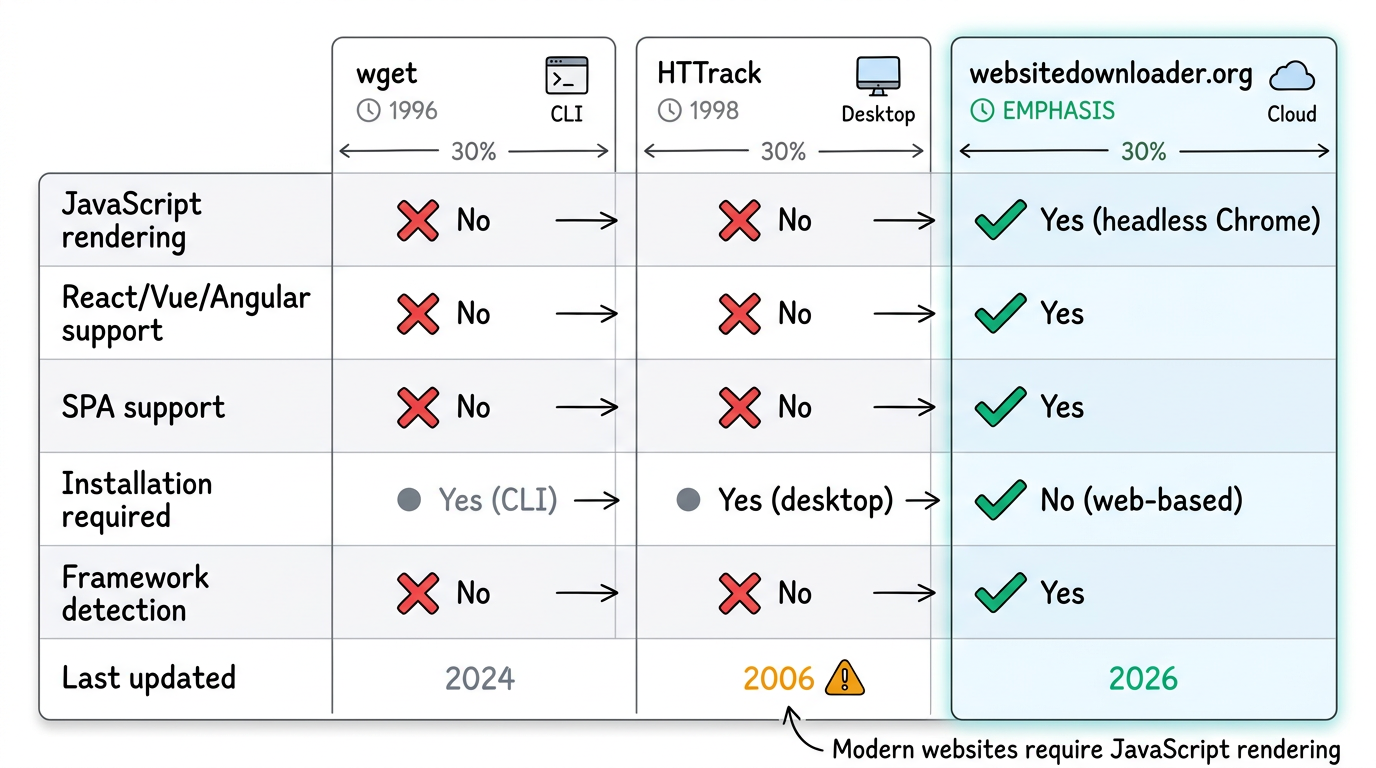
Feature Comparison
| Feature | wget | HTTrack | websitedownloader.org |
|---|---|---|---|
| JavaScript rendering | No | No | Yes (headless Chrome) |
| React / Vue / Angular | No | No | Yes |
| SPA support | No | No | Yes |
| Installation required | Yes (CLI) | Yes (desktop) | No (web-based) |
| Framework detection | No | No | Yes |
| Last updated | 2024 | 2006 | 2026 |
| Open source | Yes | Yes | Yes |
| GUI / web interface | No | Yes | Yes |
| Price | Free | Free | Free |
wget: The Unix Workhorse
Best for: Downloading files, mirroring simple static websites, scripting.
wget is a command-line utility that has been part of the GNU project since 1996. It's excellent for downloading files and can recursively mirror static websites. However, it has no JavaScript rendering capability — it downloads raw HTML exactly as the server sends it.
wget --recursive --page-requisites --convert-links https://example.comVerdict: Great for static sites and file downloads. Useless for modern JavaScript websites.
HTTrack: The Legacy Desktop Tool
Best for: Downloading simple HTML websites if you can get it installed.
HTTrack was revolutionary when it launched in 1998. It provides a graphical interface and can recursively download websites with proper link rewriting. But it hasn't had a significant update since 2006, predating every modern JavaScript framework. It can't render JavaScript, struggles with modern CSS, and is notoriously difficult to install on macOS.
Verdict: Outdated. Works only on static sites. Difficult to install on modern systems. Read our full HTTrack alternative comparison.
websitedownloader.org: The Modern Choice
Best for: Any website, especially JavaScript-heavy SPAs built with React, Vue, Angular, Next.js.
websitedownloader.org uses headless Chrome to render pages before downloading. This means it handles everything the modern web throws at it: JavaScript frameworks, lazy-loaded images, client-side routing, dynamic content, and SPAs. No installation required — just paste a URL.
It also detects the framework being used (React, Vue, Angular, etc.) and optimizes the download accordingly. And for power users, the underlying websnap CLI provides unlimited downloads from the command line.
Verdict: The best option for 2026. Works on all websites. No installation. Free.
When to Use Each Tool
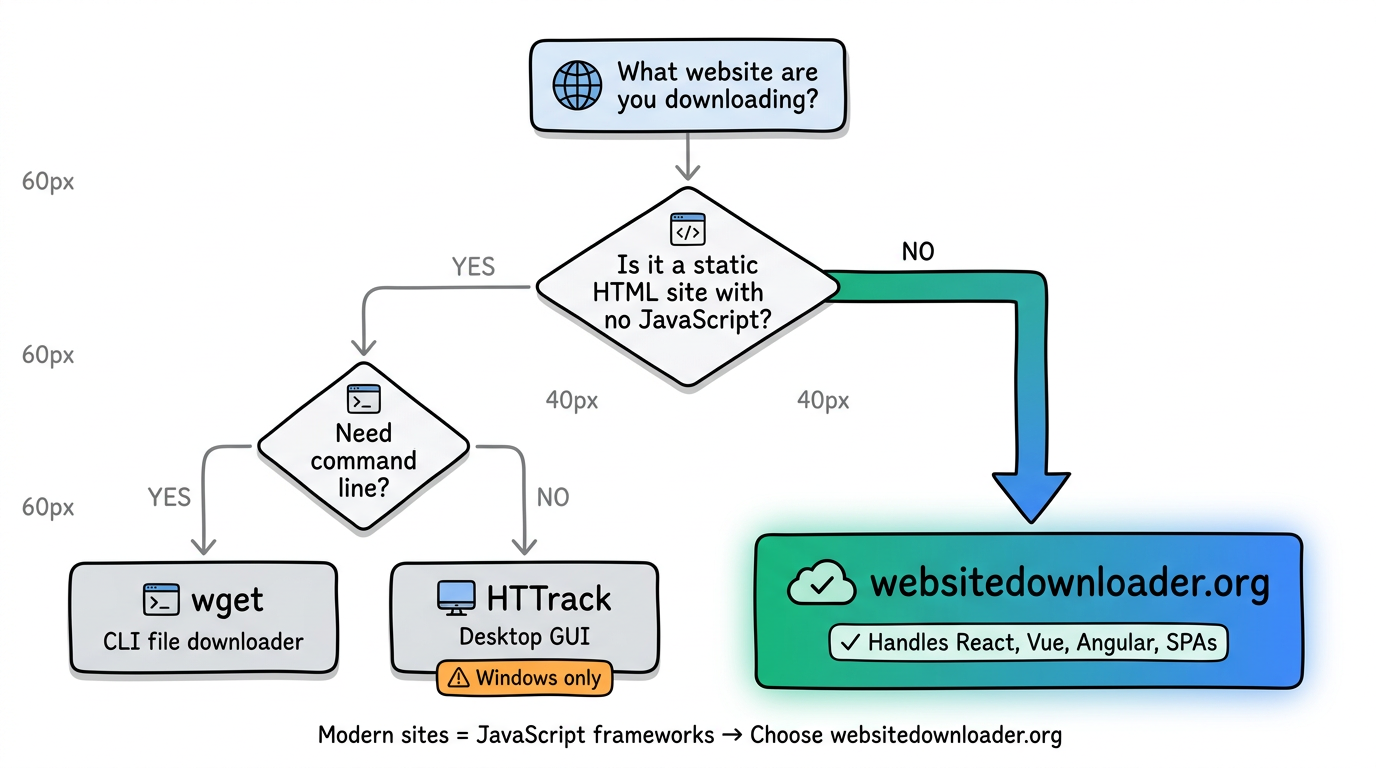
- Use wget when you need to download specific files or mirror a simple static site from the command line.
- Use HTTrack if you're on Windows and the target site is static HTML with no JavaScript.
- Use websitedownloader.org for everything else — especially any site built with a modern JavaScript framework.
Related Guides
- Web downloader comparison — 8 tools tested with hands-on results.
- How to download a website — 5 free methods step by step.
- wget alternative — When wget falls short and what to use instead.