How to Download an Angular Website for Offline Use
Angular is one of the most popular JavaScript frameworks for building web applications. It uses TypeScript, component-based architecture, and client-side rendering — which means the HTML served from the server is essentially an empty shell that Angular fills in using JavaScript.
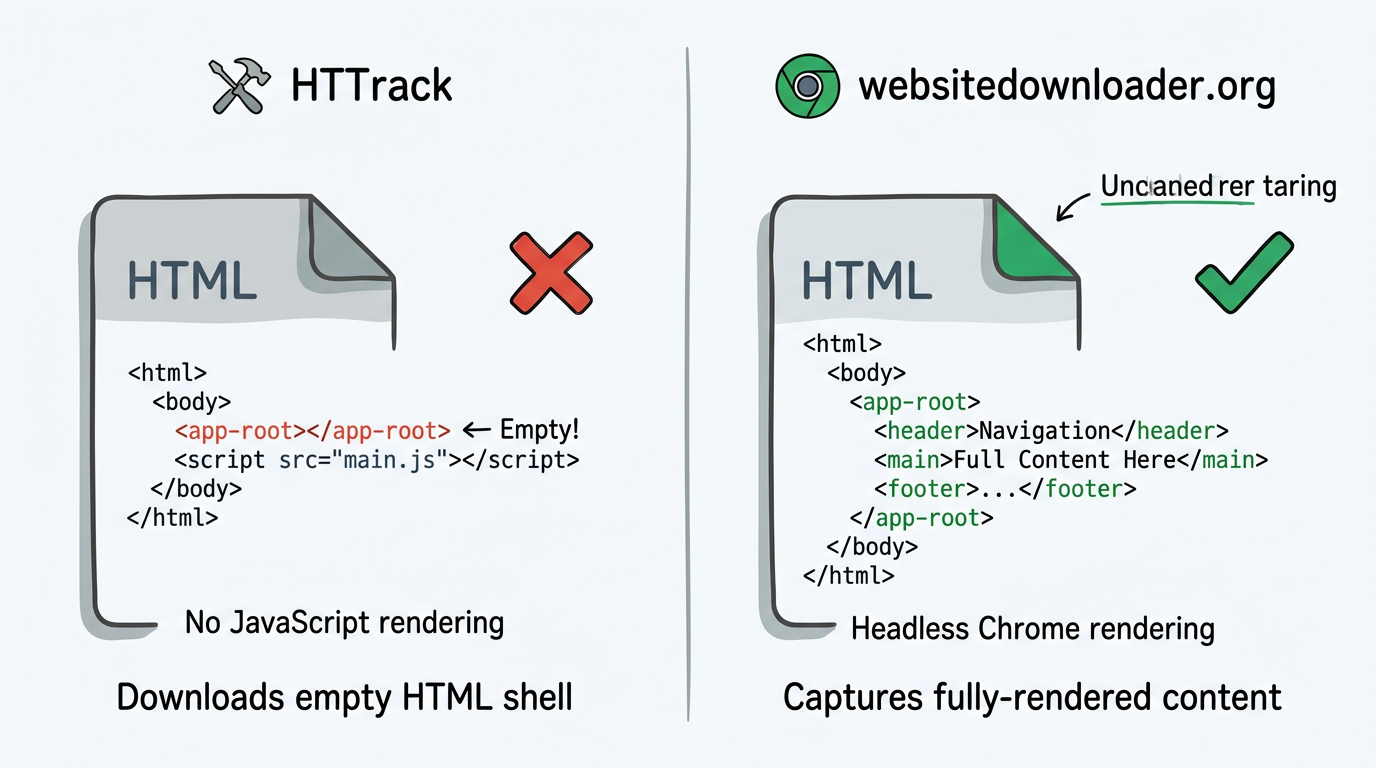
This creates a major problem for anyone trying to download an Angular website for offline use: traditional tools like HTTrack and wget only download the raw HTML, which for an Angular app is just:
<html>
  <body>
    <app-root></app-root>
    <script src="main.js"></script>
  </body>
</html>
That <app-root> tag is empty. All the content is generated by Angular's JavaScript at runtime. So HTTrack downloads a blank page.
The Solution: Headless Chrome Rendering
websitedownloader.org uses headless Chrome — the same browser engine you use daily — to render the Angular app before downloading. Here's what happens:
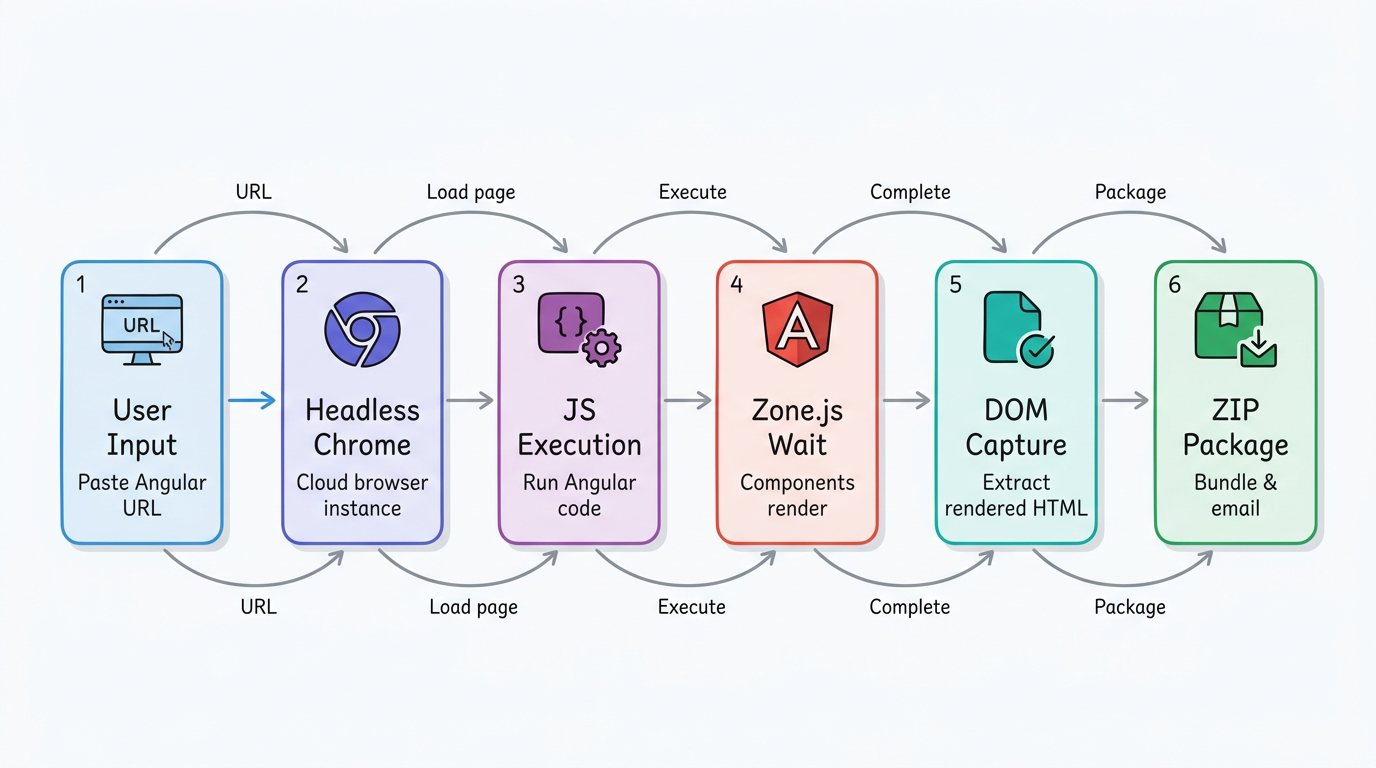
- You paste the Angular website URL
- We spin up a headless Chrome instance in the cloud
- Chrome loads the page and executes all Angular JavaScript
- We wait for Angular's zone.js to settle and all components to render
- The fully-rendered DOM is captured along with all CSS, JS, images, and fonts
- Everything is packaged into a ZIP file and sent to your email
Angular-Specific Challenges We Handle
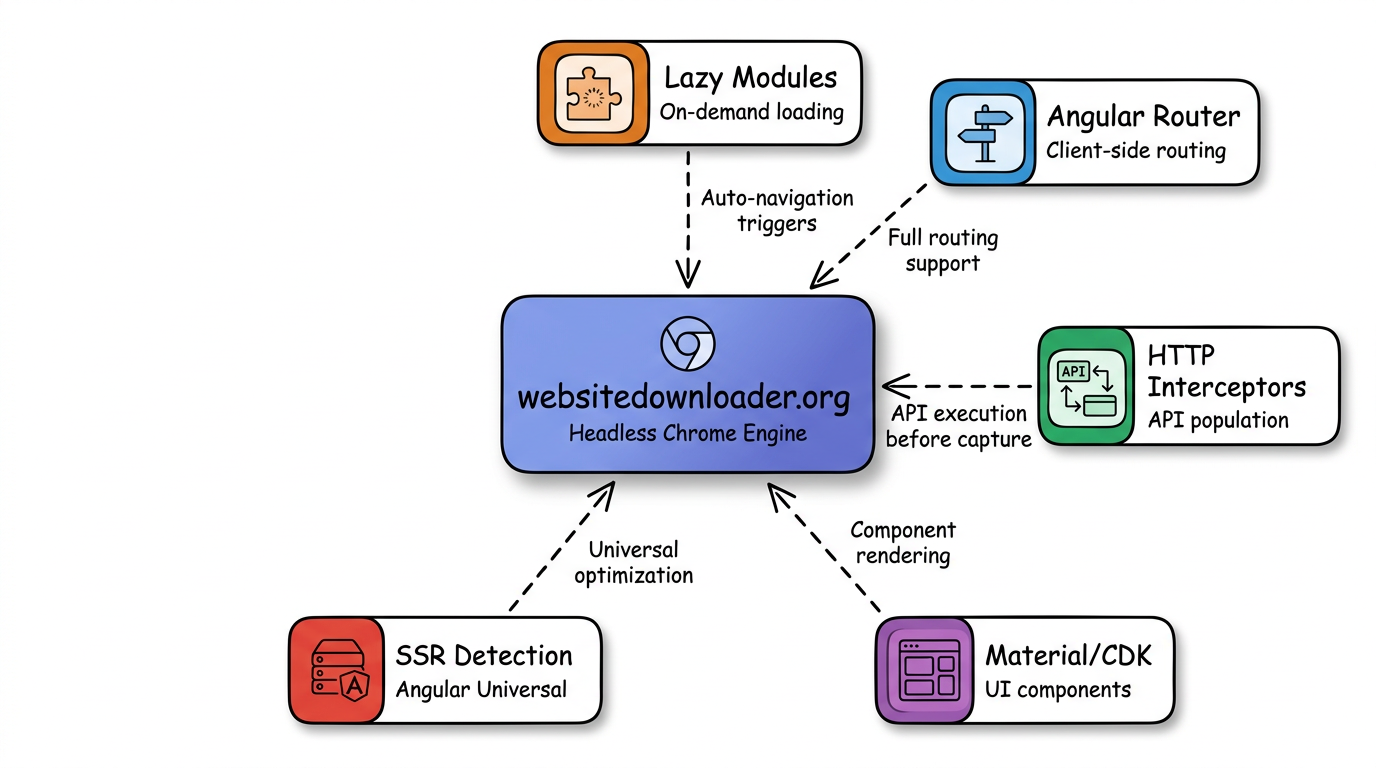
- Lazy-loaded modules — Angular apps often load modules on demand. We navigate the app to trigger these loads.
- Angular routing — Client-side routing with Angular Router is fully supported.
- HTTP interceptors — API calls that populate the page are executed before capture.
- Angular Material / CDK — UI component libraries render correctly in headless Chrome.
- SSR detection — If the Angular app uses Angular Universal (SSR), we detect it and optimize accordingly.
Alternative: Use the CLI
For power users, our open-source CLI tool websnap provides unlimited downloads:
npx websnap https://your-angular-app.com --output ./angular-siteWhy Not Just Use HTTrack?
HTTrack was built in 1998 and last updated in 2006. It predates Angular (2016), TypeScript, and the entire concept of single-page applications. It simply cannot render JavaScript. If you try to download an Angular app with HTTrack, you'll get a folder of empty HTML files. Read our HTTrack alternative guide for more details.
Related Guides
- How to download a website — 5 free methods step by step.
- Save SPAs offline — Why single-page apps are hard to download.
- Best website downloaders 2026